The timekeeping system that adds up the DTR for you.
Staff clock in on a Shared Device at the counter, or with Personal Login on their phone. ClockTap adds up the hours for payday.
Free for 5 employees.
No card needed.
- No machine to buy
- Hours added up
- Excel at cutoff
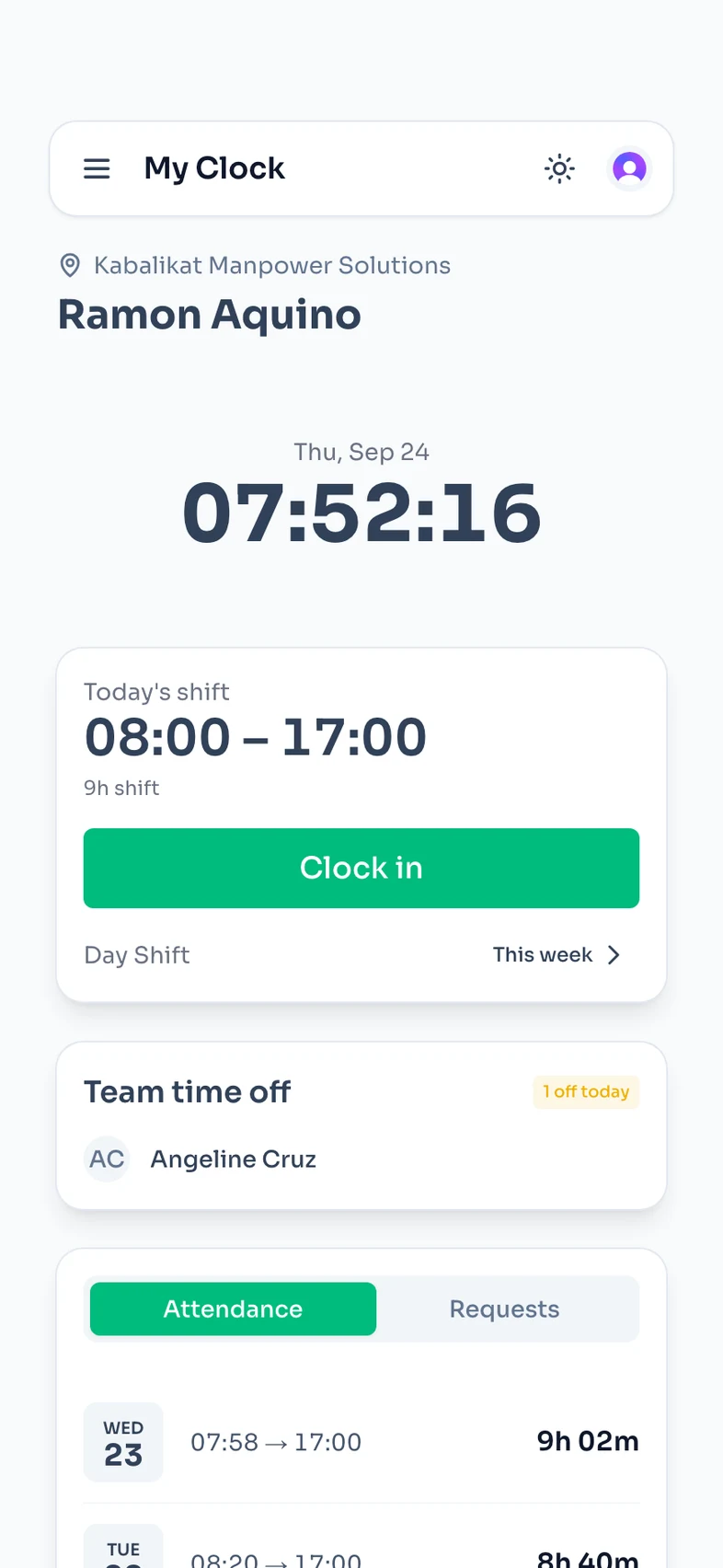


The clock, and the count.
The clock
Every time in and out.
- Shared Device at the counter, or Personal Login on their phone
- Lock clock-in to the shop
- Forgot to clock out? They send the time, you approve
The count
Paid hours, added up.
- Lunch break taken off
- Late and undertime, to the minute
- Night hours, 10 PM to 6 AM, shown apart

Set it up once.
- 1
Set the shift
8 hours, the lunch break, and how many minutes late is late.
- 2
Staff clock in
On the shop tablet, or on their own phone.
- 3
Approve and download
Approve overtime and fixes. Download Excel at cutoff.
In the free plan.
5 employees, 1 location, ₱0 a year
- Shared Device clock-in
- Personal Login clock-in
- Shifts and lunch breaks
- Late and undertime
- Overtime approval
- Night hours
- Excel download
- Lock clock-in to the shop
Start free. Pay only when the team grows.
One price a year for the whole team, not a price per head.
Starter
Free
Up to 5 employees · 1 location
Pro
₱2,990 /year
Up to 50 employees · 5 locations
Max
₱6,990 /year
Up to 250 employees · 25 locations
Guide
Timekeeping in the Philippines: the rules and the setups
What the law asks of your DTR, and how to pick a system. For a shop, café, clinic or office with 6 to 50 staff.
Updated October 2026
What timekeeping means
Timekeeping is the record of when each employee starts and stops work. In the Philippines that record is the DTR, the daily time record. Payroll comes from it every cutoff.
A timekeeping system adds up the DTR for you: lunch breaks, lates, overtime and night hours.
What the Labor Code asks you to pay
These are the minimums. You can always pay more.
| When | Rule | Law |
|---|---|---|
| Normal day | 8 hours | Art. 83 |
| Overtime | +25% an hour | Art. 87 |
| Night, 10 PM to 6 AM | +10% an hour | Art. 86 |
| Rest day, worked | +30% | Art. 93 |
| Regular holiday, worked | 200% | Art. 94 |
| Regular holiday, not worked | 100% | Art. 94 |
| Meal break, 60 minutes | Unpaid | Art. 85 |
| Coffee break, 5 to 20 minutes | Paid | Omnibus Rules |
- An unworked regular holiday is paid only if the employee worked, or was on paid leave, the workday before.
- Retail and service establishments with fewer than 10 workers are exempt from holiday pay (Art. 94).
- A meal break shorter than 60 minutes is paid.
- Any time you let someone work counts as hours worked (Art. 84).
- Undertime on one day cannot cancel overtime on another (Art. 88).
- Payday is at least twice a month, no more than 16 days apart (Art. 103).
- Managers are not covered by these rules (Art. 82).
The DTR, and how long to keep it
Keep a DTR for each employee: time in and time out, every day. The employee signs each day (Omnibus Rules, Book III, Rule X, Sec. 7).
Using an app? Print the DTR at cutoff and have each employee sign each day's line.
Keep it at least 3 years (Sec. 12). DOLE can ask to see it (Art. 128).
CS Form No. 48 is the DTR for government offices. A private business can use any DTR with the same details.
Download the DTR from ClockTapFour kinds of timekeeping system
Most small businesses use one of these.
| Setup | What you buy | A friend clocks in for them | Who adds up the hours | Staff at other sites |
|---|---|---|---|---|
| Logbook or bundy clock | A logbook, or a punch clock | Easy | You, by hand | No |
| Biometric machine | A machine per branch | Hard | Its software, or you in Excel | No |
| App on a shared tablet | Nothing, if you have a spare tablet | Easy, unless it takes a photo | The app | No |
| App on each phone | Nothing, staff use their phones | Hard | The app | Yes |
- ClockTap is both apps: Shared Device for the shop, Personal Login for staff at a client office.
Do you need biometrics?
No. The law asks for a time record. A bundy card, a logbook or a DTR form all count.
A fingerprint stops one thing: a friend who clocks in for someone. ClockTap Pro takes a photo at every clock-in instead. A Wi-Fi or location lock stops clock-ins from home.
Use a tablet as the bundy clockFrom clock-ins to pesos
Ana works 9 AM to 6 PM with a 1-hour unpaid lunch: 8 paid hours. ₱800 a day is ₱100 an hour.
| Day | In and out | Paid hours | Pay |
|---|---|---|---|
| Monday | 9:00 AM to 6:00 PM | 8 | ₱800 |
| Tuesday | 9:30 AM to 6:00 PM | 7.5 (30 min late) | ₱750 |
| Wednesday | 9:00 AM to 8:00 PM | 8 + 2 overtime | ₱800 + ₱250 = ₱1,050 |
| Total | 23.5 + 2 overtime | ₱2,600 |
- Each overtime hour is ₱100 × 125% = ₱125.
How to choose a timekeeping system
Before you pay, check that it:
- Adds up breaks, lates, overtime and night hours
- Handles shifts that end after midnight
- Knows Philippine holidays
- Lets staff fix a missed clock-out, with your approval
- Holds overtime for your approval. Overtime you allowed is still owed.
- Downloads to Excel
- Has one price, not a fee per employee
Questions.
It records when staff clock in and out, and adds up the paid hours: breaks, lates, overtime and night hours. At cutoff you get the DTR for payroll.
No. The law asks for a time record. A bundy card, a logbook or a DTR form all count. To see who clocked in, ClockTap Pro takes a photo at every clock-in.
At least 3 years from the last entry. Download each cutoff to Excel and keep the file. ClockTap keeps the records while your account is open.
Yes, the minutes not worked. A grace period is your choice, not the law. In ClockTap the grace period decides who is marked late, and pay counts the minutes worked.
They send the correct time from ClockTap. It counts after you or a manager approves it.
Yes. Set the break on the shift, and ClockTap takes it off the paid hours.
On Pro, yes: pay at each person's rate, with SSS, PhilHealth and Pag-IBIG filled in. You type the tax and file with the government. On the free plan, download the timesheet for your payroll.
Yes. ClockTap is free for up to 5 employees and 1 location, with no card. From the 6th employee, Pro is ₱2,990 a year for up to 50.
Let the next cutoff add itself up.
Free for 5 employees. No card.