An attendance monitoring system for a business with 5 to 50 staff.
Staff clock in with a PIN or from their phone. Your dashboard shows who is in, who is late, and who has not arrived, from anywhere.
5 employees free · Paid from ₱999/year · No card
See the plans and current pricesThe day, as it happens.
What the owner sees from anywhere
Today
Who is in, who is absent
The queue
Overtime, leave, corrections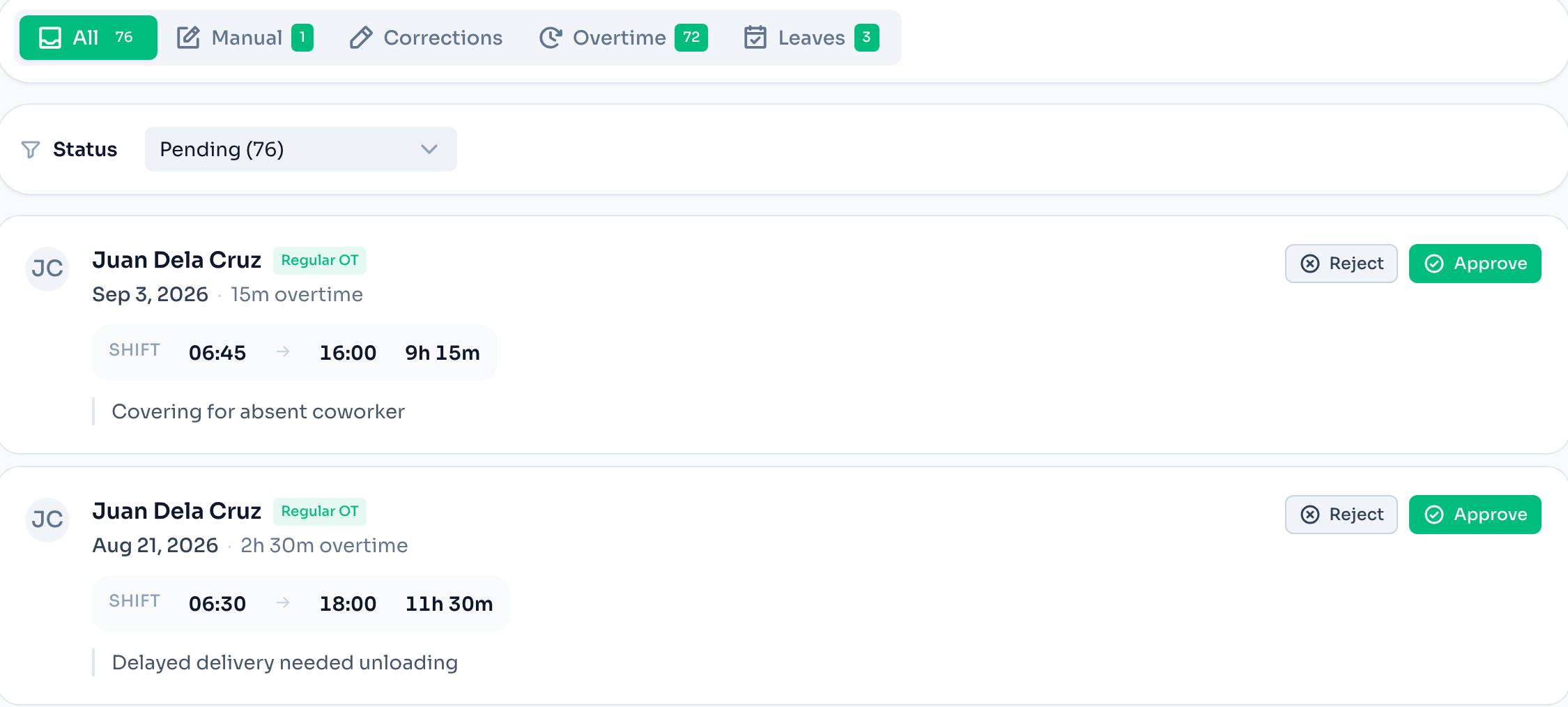
Every branch on one screen
Each location has its own kiosk and rules. You see all of them.
Free for 5 employees
No card. Paid plans start at ₱999 a year, not per employee.
Supervisors approve, you review
A supervisor clears their branch. You see the totals and the exceptions.
A normal week, monitored.
Set shifts and a grace period
Assign each person a shift and decide how many minutes count as late.
Watch the day from your phone
Who is in, who came late and by how much, who has not clocked in. It updates as people punch.
Approve, then export
Missed clock-outs, overtime, and leave queue up. Approve what is real, then export the cutoff.
Compared
What you can see, and when.
| Question | Logbook or spreadsheet | ClockTap |
|---|---|---|
| Who is in right now? | Call the shop | On the dashboard, live |
| Who was late this week? | Read the logbook against the schedule | A late list per day, against each shift |
| Who did not show? | Noticed at cutoff | Named the same morning |
| Overtime this cutoff? | Added by hand | Totalled as approved |
| Was that clock-in at the shop? | You trust the entry | Refused unless on the shop Wi-Fi or inside the radius |
Location is checked only at the moment of a clock-in. ClockTap does not follow an employee's phone during the day.
What the owner gets.
Live dashboard
Who is in, who is late, who is absent, and where the overtime is going.
Late and absent, by name
Against each person's shift and your grace period. A no-show is listed when the shift is due.
Shifts and a team planner
Plan the week on one grid, with rest days and leave on the same view.
One approvals inbox
Overtime, leave, and corrections in one queue. Approvers get an email when one is filed.
Roles per location
Owners see everything. Supervisors see their branch. Staff see their own record.
Payroll-ready export
Excel or CSV for any date range, with approved hours and overtime separated.
Start free. Upgrade when the team grows.
One price per plan per year, not per employee.
Starter
For small teams running one kiosk and basic attendance workflows.
Free
Up to 5 employees · 1 location
Pro
Early SupporterFor growing operators that need approvals, kiosk mode, and multi-location visibility.
₱999 /year
Current Early Supporter rate · Standard ₱2,990/year
Up to 50 employees · 5 locations
Max
Early SupporterFor larger groups that need broader rollout support, deeper controls, and flexible operations.
₱2,990 /year
Current Early Supporter rate · Standard ₱6,990/year
Up to 250 employees · 25 locations
These are the prices checkout charges today.
Common questions.
The layer between the clock-in and payroll. It records when each employee arrives and leaves, compares that with their shift, and shows you the result as it happens. At cutoff the same records export as a timesheet. ClockTap does that layer, then prices the hours and fills the payslip's SSS, PhilHealth and Pag-IBIG rows. It files nothing and remits nothing.
No. Employees clock in with a PIN on a shared device, or from their own phone. To keep a clock-in honest, ClockTap can require the site Wi-Fi or a radius around the address.
Each employee has a shift, and each location has a grace period in minutes. A clock-in after shift start plus the grace period is late, and the dashboard shows by how many minutes.
Yes. A supervisor sees their location's dashboard and approvals. A manager can run the schedule without seeing pay. The owner sees every location.
Starter is free for 5 employees at 1 location, no card. Early Supporter pricing is Pro at ₱999, Max at ₱2,990. Standard rates are Pro at ₱2,990, Max at ₱6,990. The holiday calendar and the all-locations dashboard start on Pro.
Read next.
Online bundy clock app
An online bundy clock that runs on the tablet you already have
Free employee attendance app
A free employee attendance app, not a 14-day trial
Free attendance tracker Philippines
A free attendance tracker for Philippine shops
Attendance and leave tracker app
One app for attendance and leave
Timekeeping attendance app
Timekeeping that is done before the cutoff
Time and attendance tracking Philippines
Philippine day types, night differential, and the DTR export
Software comparisons
ClockTap against Sprout, Jibble, Clockify, and others, on published prices
See tomorrow morning from your phone.
Free for 5 employees. Add the shifts tonight and the late list is waiting at opening.