Attendance for Philippine teams.
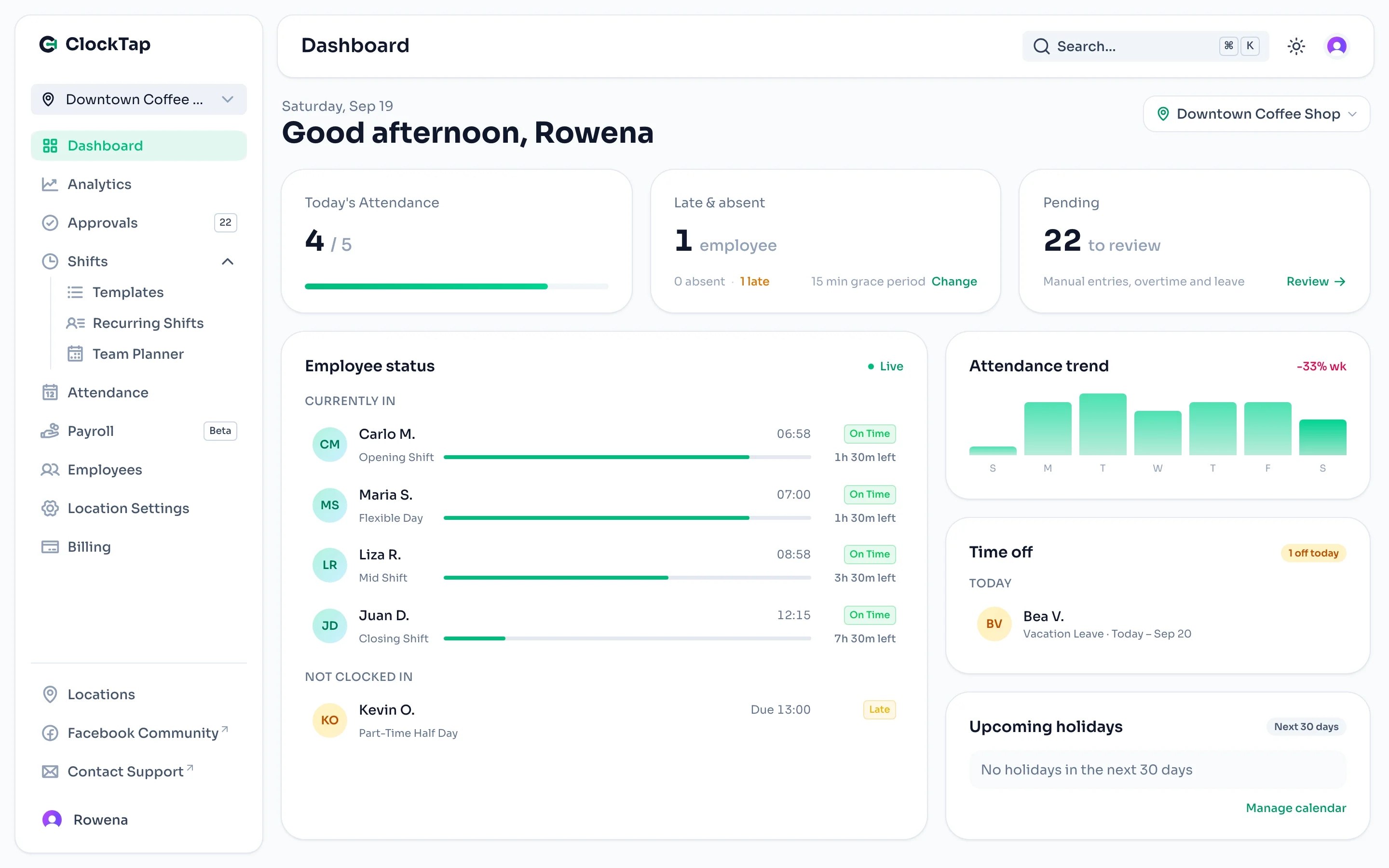
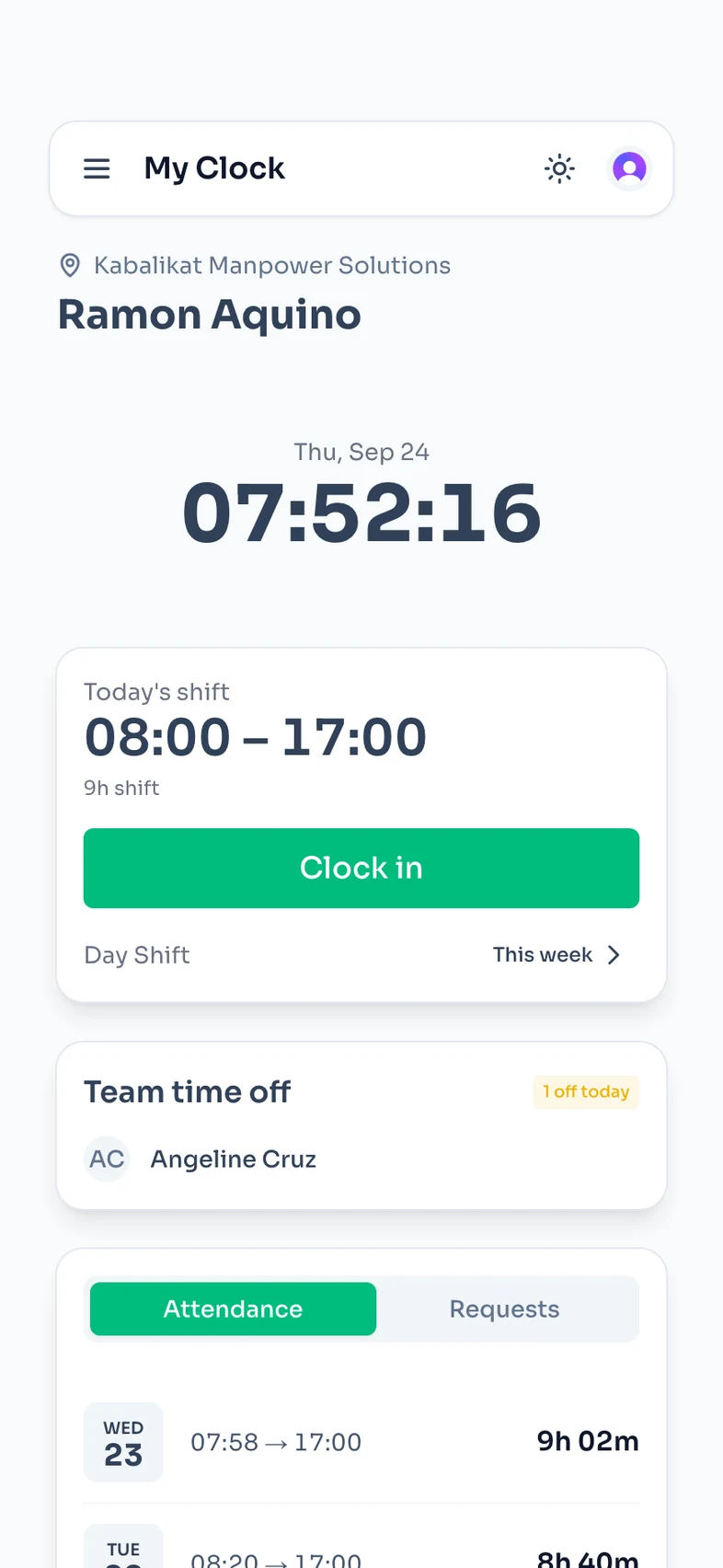
No biometric machine. Any phone or tablet becomes your time clock, and the timesheet is ready at cutoff.
Free for up to 5 employees. No card needed.
Why teams pick ClockTap
- Runs in a browser on the phone, tablet, or laptop you already have
- Philippine holidays, night hours, and rest days are built in
- Your hours export to Excel whenever you want them
- Flat yearly price with no per-employee fee, cancel anytime
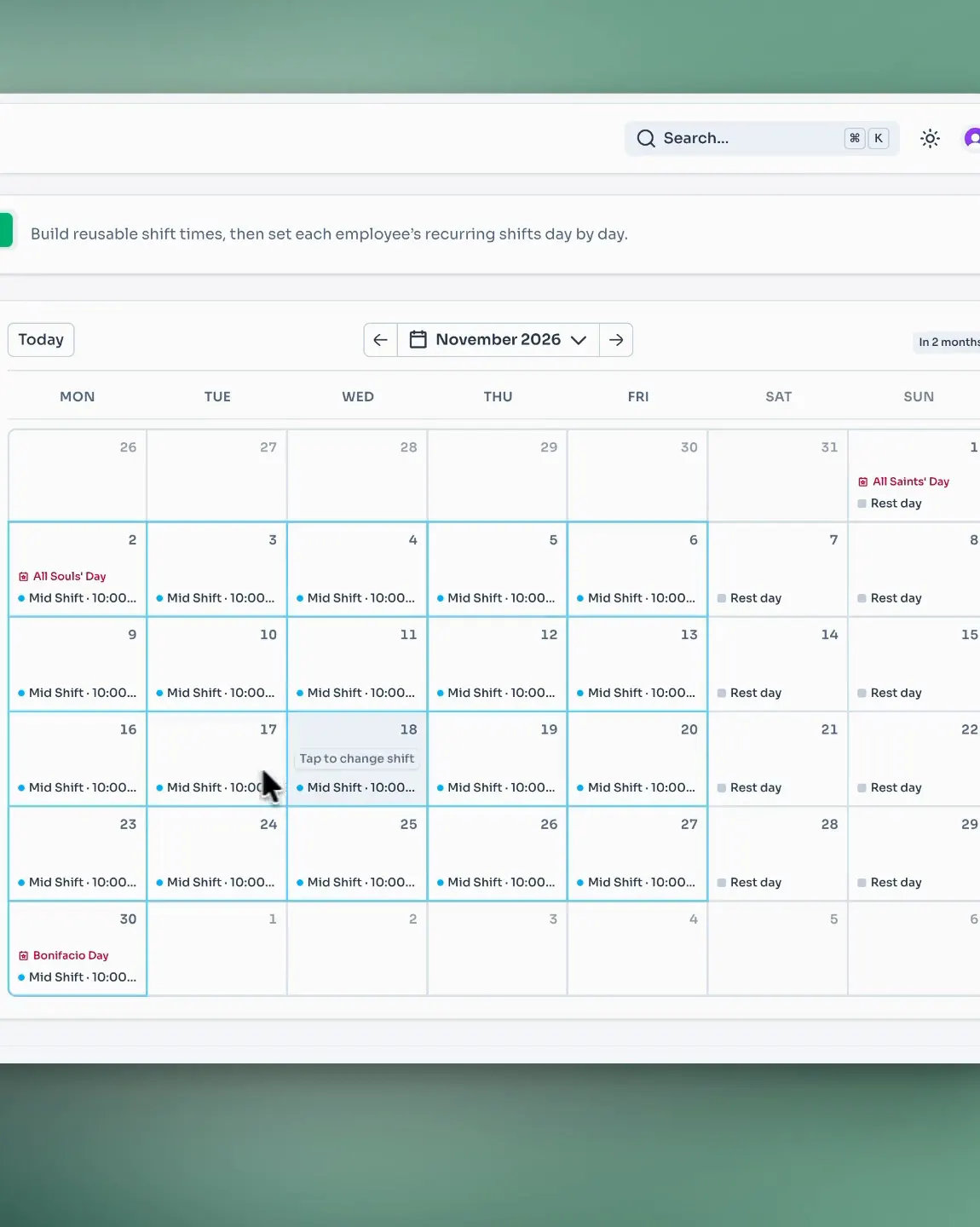
Know who showed up without calling anyone.
Who is in
Who is late or not in yet
Who is on leave
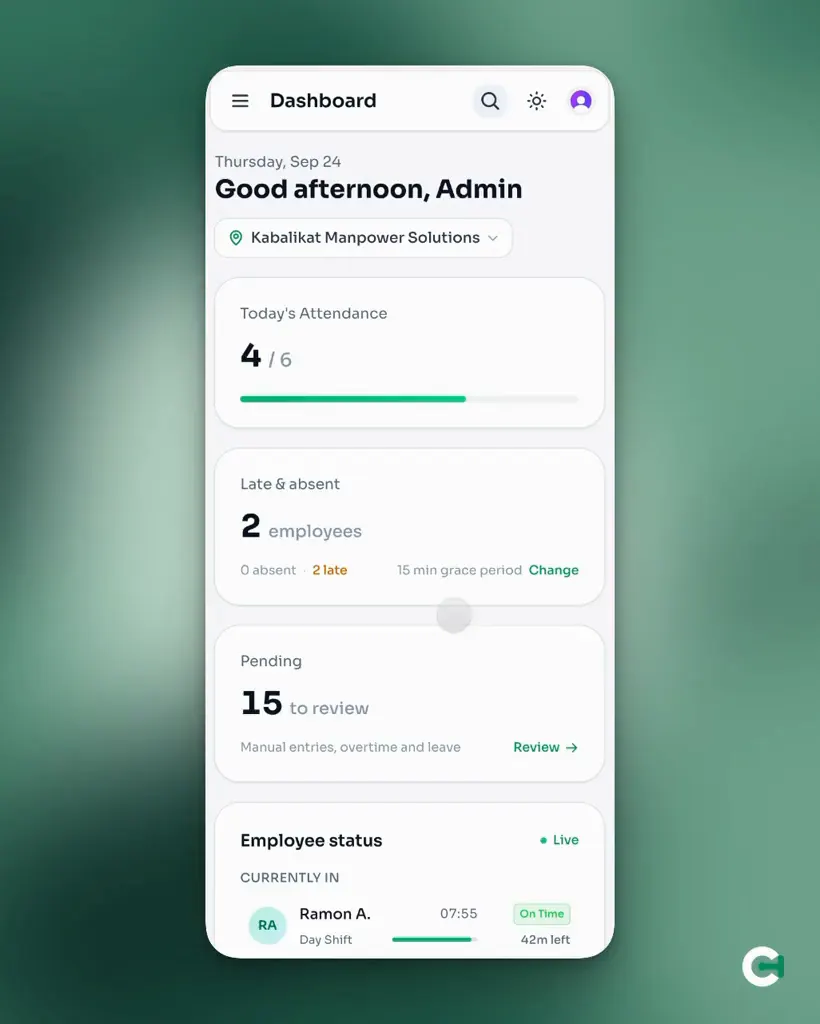
Set the week once. It repeats.
Monday to Friday in one tap
It repeats on its own
Change one day, keep the rest
One workday, start to payroll.
Three steps. The middle one is the only one that needs you.
- 1
Employees clock in
On a Shared Device at the location, or with Personal Login on their own phone when they work away.
Employee status
LivePresent24 / 30
Late3 today
Pending5 queued
MSMaria Santos7:58 AMOn TimeJCJuan dela Cruz8:14 AMLateARAndrea Reyes7:45 AMOn TimeJMJoy Mendoza8:00 AMClocked In - 2
You handle the exceptions
Missed clock-outs, leave, and overtime queue up in one tray. Approve or reject.
Approvals
3 pendingCAManualCarlo Aquino
Missed clock-out
Reject ApproveLTOvertimeLiza Tan
2.5 hrs filed
Reject ApprovePCLeavePaolo Cruz
Sick leave
Reject Approve - 3
Payroll is ready
Worked hours, lates, undertime, and overtime are already computed. Export and hand it over.
Attendance summary
ExportPresent24
Late3
Absent2
Overtime4
Maria Santos7:58 AM5:02 PMOn TimeJuan dela Cruz8:14 AM5:05 PMLateAndrea Reyes7:45 AM6:10 PMOvertime
The four things you will use every week.
Kiosk and personal phone
Share one tablet at the door, or let each person use their own phone.
Wi-Fi and location limits
Lock clock-ins to your Wi-Fi, to a radius around the site, or to both.
Shifts and approvals
Assign each person's schedule, then clear overtime, leave, and corrections from one queue.
Payroll-ready timesheets
Hours, lates, night hours, rest days, and holidays are totalled for you. Export to Excel or payslips.
₱349 a month. Not ₱349 per employee.
One flat price for the whole team. No per-employee fees, and the free plan never expires.
Starter
Free forever. No credit card required.
- Up to 5 employees
- 1 location
- Shared Device or Personal Login
- Geofencing
- Shifts, leave and overtime
- Excel timesheets
Pro
Billed monthly.
- Up to 50 employees
- 5 locations
- Everything in Starter
- Payroll
- Holidays
- Employee work zones
- Photo on every clock-in
- Priority support
Max
Billed monthly.
- Up to 250 employees
- 25 locations
- Everything in Pro
- Priority support
Every plan includes the whole tracker. Pro and Max add payroll and holidays.
Built for Philippine shift teams.
Wherever people clock in and out, ClockTap replaces the logbook.
- Retail
- Laundry shops
- Coffee shops
- Restaurants
- Clinics
- Warehouses
- Manpower agencies
- Remote teams
Before you sign up.
No. A phone, tablet, or computer you already own becomes the time clock, in a browser or the ClockTap app for iPhone and Android. Nothing to buy.
Yes. Give them Personal Login and they clock in from their own phone. A Shared Device and Personal Login can run side by side.
You can make it hard. Lock clock-ins to the site Wi-Fi, a radius, or both. No phone check is tamper-proof, so a Shared Device at the door stays strictest.
Not the filing. It counts and prices the hours, exports a payroll-ready timesheet, and fills SSS, PhilHealth, Pag-IBIG and withholding tax into the payslip. Nothing is filed or remitted, so you run payroll where you run it today.
A clock-in needs a connection. For anything missed, an employee files a correction and you approve it, so the timesheet still closes correctly.
Start tracking attendance today.
Add your team and the next shift clocks in.
Free for up to 5 employees. No credit card required.